Leads & marketing · Cashin Media
How do you turn a business website into a lead engine—not another digital brochure?
By the Cashin Media team ·
A business website should help the right people understand what you offer and get in touch. To decide what to improve, look beyond visitor counts: where visitors came from, which information helped them decide, who reached out and whether their inquiry fits your business. That gives you a practical next step based on what is happening—not just traffic.
This guide follows the full path—from helping visitors find the right page, to making it easy to contact you and keeping inquiries organized for follow-up. It covers a full business website, not just a single campaign page.
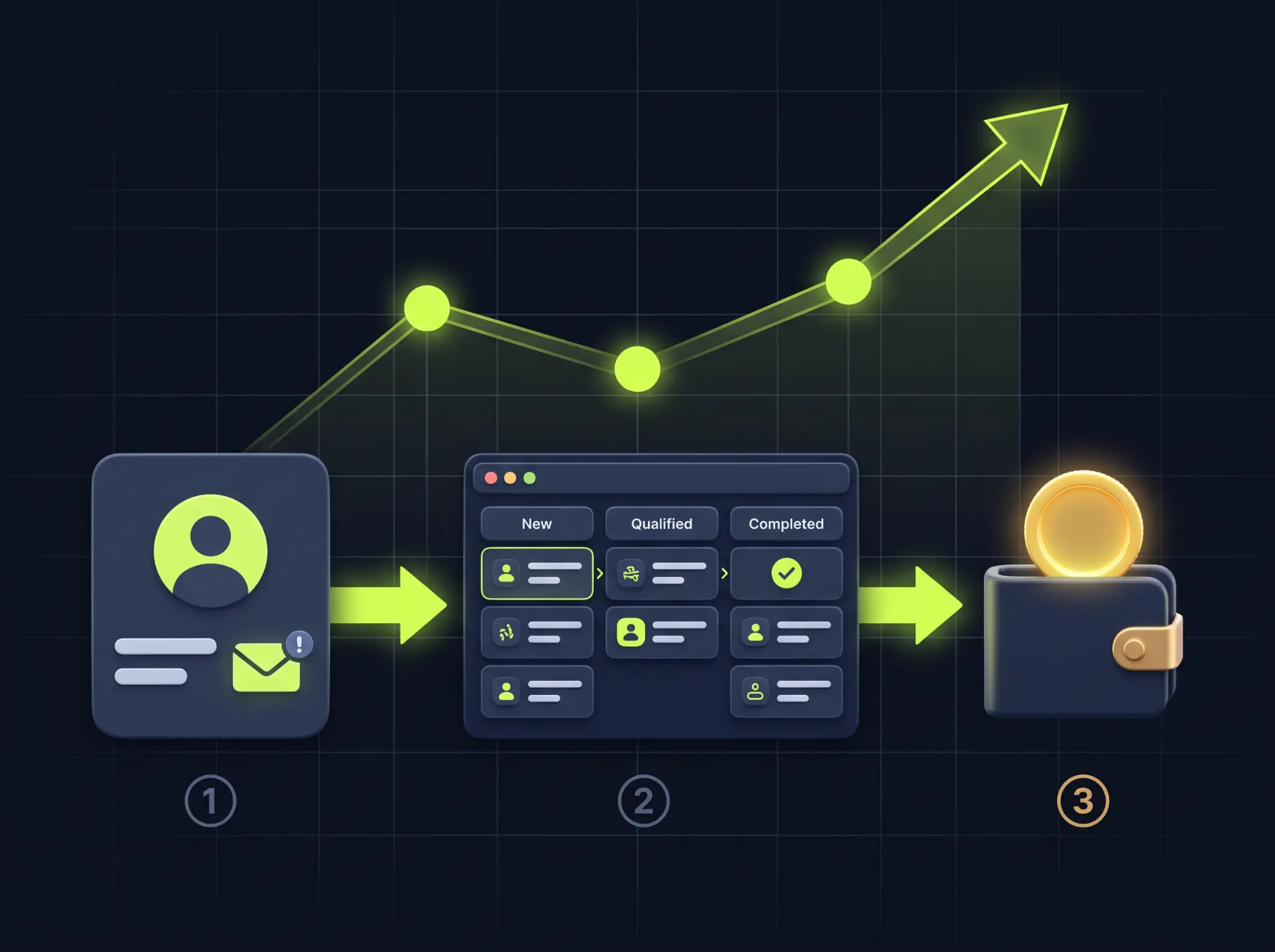
What is the difference between a digital brochure and a lead-generating website?
The difference is not the design; it is the objective and what you measure:
| Area | Digital brochure | Lead-generating website |
|---|---|---|
| Purpose | Present the business | Give the visitor a reason to inquire |
| Message | Who we are and our values | Whose problem we solve and how |
| Call to action | A “Contact” item in the menu | A clear action on each screen and at the end of each page |
| Content | General About and Services pages | A page for each service, with proof and answers to objections |
| Measurement | Number of visits | Inquiries, cost per lead and close rate |
| After an inquiry | An email answered when someone has time | A CRM, fast response and follow-up through to a decision |
What is a lead—and how do you tell a qualified lead from an unqualified one?
A lead is someone who has shared their details and agreed to be contacted: an inquiry that may become a customer. But not every lead has the same value, and counting inquiries alone misses the bigger picture:
| Lead type | What it looks like | How to handle it |
|---|---|---|
| Hot lead | Asks for a quote or a call now | Respond immediately; make it the first priority |
| Warm lead | Interested and comparing providers | Follow up with useful content and a reminder |
| Unqualified lead | Outside your area, budget or service scope | Qualify quickly without spending unnecessary time |
To improve lead quality without making the form harder to complete, add one qualifying question, such as “When would you like to start?” or “Where is your business based?”. The answer helps a team member decide whom to handle first. Hot leads often come from commercial-intent searches, while warmer leads often come from articles and other content.
Four stages of a website that generates leads
Each stage depends on the one before it: a great page without traffic will not get inquiries, and great traffic without a conversion path is wasted.
- Intent-driven traffic: People searching Google for the service you provide.
- A persuasive page: A clear message and proof that show within seconds why a visitor should contact you.
- A low-friction conversion path: A short form, WhatsApp and phone contact one tap away.
- Measurement and follow-up: A system that records every lead and shows which ones become customers.
Step 1: Attract people who are looking for exactly what you offer
Traffic is not only about volume; it is about intent. Ten people searching “business website design cost” can be more valuable than a hundred reading a general marketing article. Here is how to reach the first group:
- Create a dedicated page for each service. One page listing ten services may not answer a specific search particularly well. A focused page for each service, with an H1 that matches what the visitor is looking for, gives a more relevant answer.
- Target commercial-intent searches. Words such as “price”, “quote”, “company for…” and “recommended” can signal that a visitor is closer to a decision. Build service pages around the terms that fit your offer.
- Build a local presence. An up-to-date Google Business Profile, with reviews and contact details consistent with your website, can support visibility in local searches.
- Publish a blog that answers buying questions. Write about the questions customers ask before deciding and link each article to the relevant service page.
Choose the right page by matching it to the search intent:
| Search intent | Example search | Best-fit page |
|---|---|---|
| Informational | “How do I choose a CRM?” | A blog article |
| Comparative | “WordPress or Wix for a business?” | A comparison article |
| Commercial | “Business website design price” | A service or pricing page |
| Local | “Website designer in the north” | A location-specific service page and Google profile |
Search volumes vary by industry and language. Before choosing a keyword, check it in Google Search Console if the site is already active, or in Google Keyword Planner.
Step 2: Persuade visitors in the first ten seconds
A visitor arriving from Google or an ad quickly decides whether they are in the right place. A page designed to generate inquiries will usually follow this order:
- A headline that promises a useful outcome. “A website that brings your business inquiries” is clearer than “Advanced digital solutions”.
- One line of explanation: What you offer, who it is for and what makes it different.
- One prominent action button, such as “Get a tailored proposal” or “Book an introduction call”.
- Evidence: Genuine named testimonials, client logos, numbers and results, and portfolio work.
- Who it is—and is not—for. This can help improve the fit of incoming inquiries.
- A three-step process, so visitors know what happens after they get in touch.
- Answers to objections: Price, delivery time and trust.
- A final call to action at the end of the page.
One important rule: the page headline should continue the promise made by the ad or search result. Someone searching for a landing page who arrives at a generic page about “digital solutions” may leave.
A button that says “Submit” asks the visitor to do work. A button that explains what they will receive gives them a benefit. Use an action that leads to a benefit, be specific about what happens after the click, and reduce concern only with a promise you can actually keep.
| Instead of | Try | Why it helps |
|---|---|---|
| Submit | Get a tailored quote | Explains what the visitor receives |
| Contact us | Book a short introduction call | Makes the next step feel more specific |
| More information | Check whether this fits my business | Makes the benefit personal |
| Sign up | Get the 30-day plan | Frames sign-up as receiving value |
Step 3: Make the conversion path easy
Even a convinced visitor may leave if it is difficult to contact you. Every obstacle—a long form or a button that does not work on mobile—can cost you an inquiry.
- Keep the form short. Name, phone number and one open field can be enough for an initial inquiry. Every extra field adds friction and may reduce completion. For higher-value services, test a multi-step form too.
- Offer more than one way to get in touch. WhatsApp is a major channel in Israel, so consider placing WhatsApp and call buttons beside the form, with a floating button on mobile.
- Design for mobile first. Test the site on a real phone: text should be readable, buttons large enough and the form usable without zooming.
- Keep the page fast. Google’s Core Web Vitals include LCP (loading the main content), INP (response to interaction) and CLS (layout stability). Common “good” experience targets are LCP up to 2.5 seconds, INP below 200 milliseconds and CLS below 0.1. PageSpeed Insights can help check them.
- Show a confirmation. After a form submission, confirm that the inquiry was received and explain what happens next. This is also a useful place to measure conversion.
- Consider accessibility. Check the accessibility obligations that apply to your business and website with a qualified professional. Accessible design also improves the experience for everyone.
Landing page or full website? It is not always an either-or choice. A landing page focuses on one action; a full website builds trust and can support organic search over time:
| Area | Landing page | Full website |
|---|---|---|
| Best for | A paid campaign or one offer | Ongoing presence and organic traffic |
| Structure | One page without a navigation menu | Several pages: services, about and insights |
| Advantage | Strong focus on one action | Trust, SEO and coverage of several services |
| Limitation | Does not cover many Google searches | Less focused if every page is generic |
For many businesses, a good approach is a full site where each service page follows landing-page principles, supported by dedicated landing pages for paid campaigns. Compare the investment with the goal and project scope—not only the number of pages.
Step 4: Measure what is really working
Without measurement, it is hard to know which page, ad or article brings customers. Consider these tools and signals:
- Google Analytics 4 through Google Tag Manager: Configure key events for form submissions, WhatsApp clicks and phone clicks.
- Google Search Console: See which searches surface the site and which results people click.
- UTM tags on campaign links, so you can identify where each lead came from.
- Meta Pixel and Google Ads conversion tracking, if you advertise on those platforms.
- Call tracking, if phone is your main inquiry channel.
- A clear privacy policy. The right consent banner depends on the audience and how cookies are used. Marketing email and SMS may require prior consent; check the requirements that apply with a qualified professional.
Step 5: What happens after the lead arrives?
This is where many businesses lose opportunities. A lead answered two days later may already be speaking with a competitor; an email inquiry left unread is marketing spend that went nowhere.
- Respond quickly. Set a response target measured in minutes during business hours, and alert a team member immediately by WhatsApp or email.
- Use clear CRM stages. For example: new, qualified, proposal, won or not relevant. This shows how many inquiries turn into customers.
- Automate the routine. Send a confirmation to the customer, assign the inquiry, schedule follow-ups and revisit leads that have not closed.
- Track the economics. Four metrics help connect marketing to sales:
| Metric | Formula | What it shows |
|---|---|---|
| Cost per lead (CPL) | Marketing spend ÷ number of leads | How much it costs to bring in an inquiry |
| Website conversion rate | Inquiries ÷ visitors | How well the page persuades |
| Close rate | Customers ÷ leads | Lead fit and sales effectiveness |
| Customer acquisition cost | Marketing spend ÷ new customers | What an actual new customer costs |
A CRM is where each lead is recorded, assigned a status and followed through to a decision. For a small business, useful selection criteria include:
- Ease of use. A system the team does not use has little value.
- Connections to website forms, email and WhatsApp, so leads can enter automatically.
- Stages you can customize to match the way your business actually sells.
- Alerts and reminders for the person responsible.
- Reports on lead source, cost per lead and close rate.
- Right-to-left language support.
- Data export, so your information remains yours if you change systems.
Once the system is in place, a simple lead workflow can look like this:
- A visitor submits a website form.
- The lead is recorded in the CRM with its traffic source.
- The visitor receives an automated confirmation by email or WhatsApp.
- A team member receives an immediate alert.
- If nobody makes contact by the end of the day, the team member gets a reminder.
- A lead that has not closed receives an appropriate follow-up after a few days.
- When the deal closes, the status changes and the transaction appears in reporting.
Marketing automation requires appropriate consent. Keep the consent choice clear and separate from the inquiry itself.
What is a good conversion rate—and when should you test?
There is no single right number. International industry reports sometimes cite a landing-page median around 6.6%, but results vary widely by industry, traffic source and what counts as a conversion. The most useful comparison is with your own baseline: measure where you are, change one thing at a time and see whether the number moves. A high conversion rate with unqualified leads is not success, so track close rate too.
An A/B test compares two versions of one page element: some visitors see version A and others see version B, then you compare which produces more inquiries. A practical order to test is:
- The main headline.
- The button copy, color and placement.
- The number of form fields.
- Proof above the fold, such as a testimonial or a substantiated number.
- The main image.
A few rules help avoid misleading conclusions:
- Change one thing at a time, or it is hard to tell what caused the change.
- Do not stop too early. A result after two days may be random.
- Decide what success means in advance, and, where possible, measure a qualified lead—not just a click.
- Account for traffic volume. A site with only a few dozen inquiries a month may not reach statistical significance quickly. In that case, make one meaningful change and track it for several weeks.
- Record every test: what changed, how long it ran and what happened.
Seven mistakes that leave a website as a digital brochure
- Sending traffic to a page that does not convert.
- Putting several competing calls to action on the same page.
- Asking for too much information in the form.
- Using the same generic message for everyone, such as “advanced business solutions”.
- Showing no proof: testimonials, numbers or portfolio work.
- Not measuring, so nobody knows what works.
- Letting a lead arrive and disappear: no fast response and no follow-up.
A 30-day action plan
- Week 1 — measurement: Set up GA4, Tag Manager and Search Console, define key events and record the current baseline.
- Week 2 — page: Rewrite the main service-page headline and button, add proof and shorten the form.
- Week 3 — speed and mobile: Review PageSpeed Insights, fix the most important issues and test the whole journey on a phone.
- Week 4 — follow-up: Connect forms to the CRM, set up an automated confirmation and team alert, and create a monthly report for cost per lead and close rate.
Related guides
- SEO guideBuild organic visibility and attract relevant search traffic.
- Landing page guidePlan a focused page that gives visitors a clear next step.
- Website costs in IsraelAn Israel-specific guide to planning a website budget and understanding local costs.
Frequently asked questions
What is the difference between a business website and a landing page?
A landing page is one page designed for one action, such as a campaign inquiry. A business website has several pages that present the company. A lead-generating site can combine both: service pages follow landing-page principles within a wider website.
How long does it take for a website to bring leads?
It depends on the channel. Paid campaigns may bring inquiries in the first days once measurement and the page are ready. Organic SEO usually takes months to settle, so many businesses use both.
Can an existing website be improved, or does it need a rebuild?
Often you can improve what you have: rewrite headlines, shorten forms, add proof and connect analytics. A rebuild may be needed when the site is very slow, not mobile-friendly or its structure cannot be changed.
What tools do I need to manage leads?
At minimum, use a form connected to a CRM or spreadsheet, an immediate alert and a record of each lead’s source. A small business can start with a simple system and add automation later.
Which is better for leads: SEO or paid advertising?
They work differently. Paid advertising can create traffic quickly, but you pay for each click. SEO can build an asset that attracts traffic over time, but it takes time to mature. A good website can serve both, so start with the page and measurement.
How can I tell whether my website brings good leads?
Measure how many inquiries become customers, not only how many arrive. If inquiries are plentiful but few close, the message may attract the wrong audience or the sales process may need work.
How many leads should a website bring to be successful?
It depends on the business goal. Work backwards: the number of customers you want each month divided by your close rate gives the number of leads required. For example, five customers at a 25% close rate requires 20 leads. This is only an illustration.
How can I reduce cost per lead?
Improve the page conversion rate, refine keywords and audiences to reduce irrelevant traffic, exclude unsuitable search terms from campaigns and make the site faster. Matching the ad message to the page can also reduce drop-off.
Why does my website get traffic but no inquiries?
Common causes include irrelevant traffic, an unclear message, an inconspicuous action button, a long form, mobile issues, insufficient proof or broken inquiry tracking. Start by checking measurement, then review the message and button.
How do I add a WhatsApp button to a website?
The simple option is a wa.me link with the phone number in international format; you can also prefill a message. WordPress and website builders offer ready-made plugins and components. Track button clicks as a GA4 key event to measure the inquiries it brings.
Glossary: website marketing and leads
- Lead
- An inquiry from a potential customer who shared their details.
- Conversion
- A desired action on a website, such as submitting a form or clicking WhatsApp.
- Call to action (CTA)
- A button or message inviting a visitor to take a specific action.
- CRM
- A system for managing customers and leads throughout the process.
- UTM
- A link parameter that identifies the campaign or source a visitor came from.
- A/B test
- A comparison of two versions of an element to see which performs better.
- Cost per lead (CPL)
- Marketing spend divided by the number of leads.
- Conversion rate
- The percentage of visitors who complete the desired action.
- Core Web Vitals
- Google experience measures for loading, responsiveness and visual stability.
Let’s find where your website is losing leads
We can review the website, measurement and inquiry journey, then identify a sensible place to begin. Send Cashin Media an inquiry and we will respond with a direction tailored to your business.